Spilled water, coffee or another drink on your MacBook? What you do in the first few minutes can make a difference. Even a small amount of liquid can reach internal components and affect the keyboard, battery, charging circuits or logic board.
Your MacBook may appear to be working normally straight after a spill. However, that does not mean it is safe to keep using. Here are three common mistakes to avoid, plus the steps you should take instead.
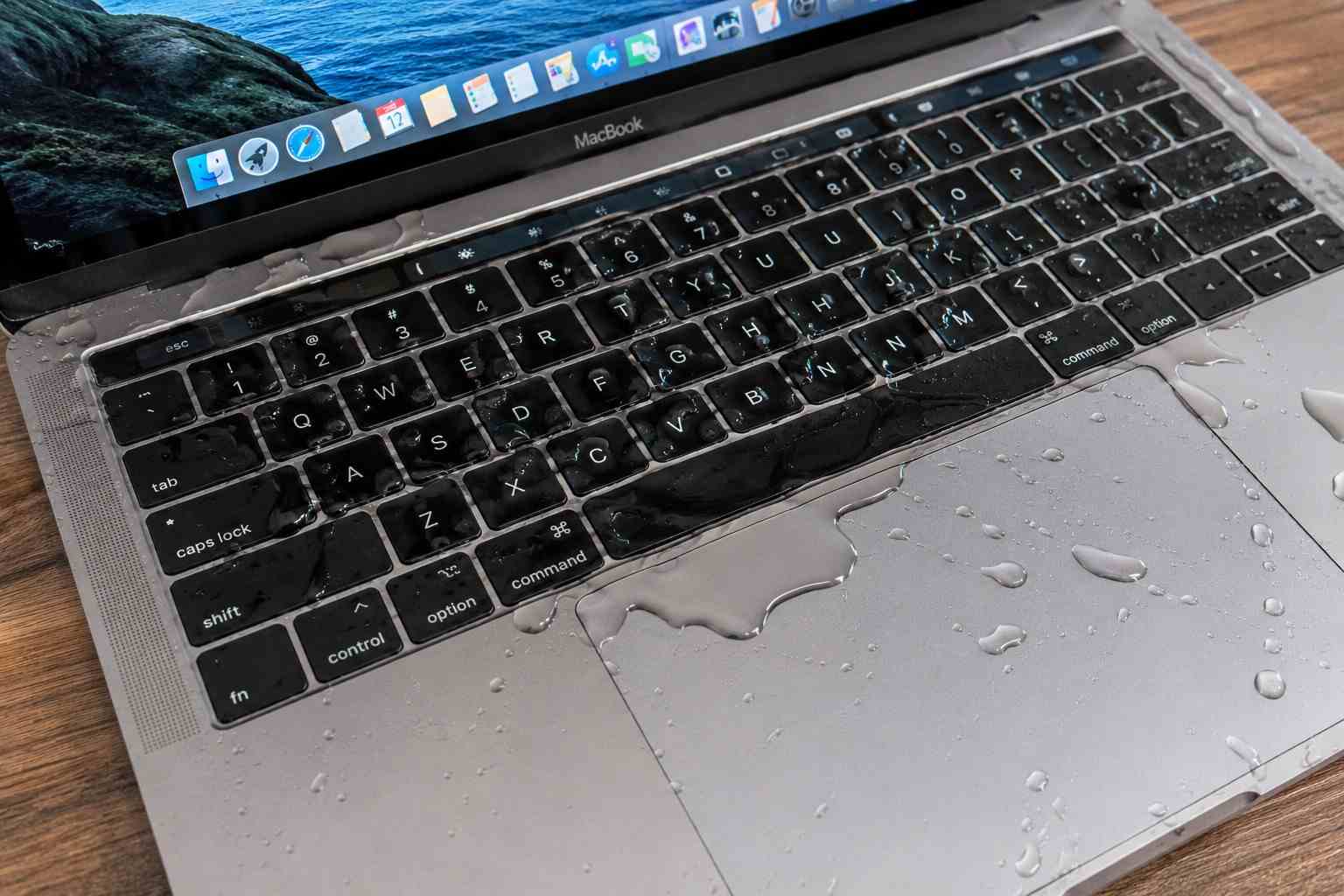
1. Do NOT Turn On Your MacBook or Keep Using It
This is one of the most important things to remember after a liquid spill. If your MacBook is still running, shut it down as soon as you safely can. If it has already switched off, do not try to restart it.
Liquid inside an electronic device can create unintended electrical paths. Applying power while moisture is present may cause a short circuit and further damage components. Continuing to use the MacBook or repeatedly pressing the power button to test it can make the situation worse.
What you should do instead
- Disconnect the charger and all connected accessories.
- Shut down the MacBook if it is still operating and you can do so safely.
- Do not press the power button repeatedly to see if it still works.
- Keep it powered off until it has been properly inspected.
Even if the screen is still working, do not assume the internal components are unaffected.
2. Do NOT Use a Hair Dryer or Put Your MacBook in Rice
Using a hair dryer or placing a wet MacBook in rice are common internet suggestions, but neither is a reliable way to deal with liquid damage.
Why you should avoid a hair dryer
- Heat may damage sensitive components, adhesives or other materials.
- Airflow may move liquid further into openings or internal areas.
- Drying the outside does not remove moisture or residue trapped inside.
Why rice is not a solution
- Rice cannot clean liquid residue from the logic board or connectors.
- It cannot reliably draw out liquid trapped inside the MacBook.
- Dust or small particles may enter ports and openings.
Allowing the outside to dry does not guarantee that the inside is dry or safe. Keep the MacBook switched off and arrange an inspection.
3. Do NOT Wait Too Long Before Getting Professional Help
Waiting several days to see whether the MacBook starts working again is risky. Depending on the liquid and the affected components, residue and corrosion can continue to cause problems after visible moisture has disappeared.
Coffee, soft drinks, juice and other sugary liquids can be especially troublesome because they may leave deposits behind. Even clean water can cause electrical problems if it reaches powered components.
Common signs of MacBook liquid damage
- The MacBook will not turn on.
- The keyboard or trackpad stops working.
- The screen flickers or displays unusual colours.
- The battery will not charge.
- The MacBook shuts down unexpectedly.
- USB-C ports or charging functions stop working.
- The device becomes unusually hot.
A MacBook may initially appear normal even when liquid has reached internal parts. A professional inspection can help identify the extent of the damage and appropriate repair options.
What Should You Do Immediately After a MacBook Liquid Spill?
- Disconnect the charger and all accessories.
- Shut down the MacBook if it is still running and it is safe to do so.
- Do not attempt to turn it back on or charge it.
- Gently wipe visible liquid from the exterior with a soft, lint-free cloth.
- Keep the MacBook switched off.
- Arrange a professional inspection as soon as possible.
Do not shake the MacBook or use heat to dry it. If the battery appears swollen, the device becomes unusually hot, or you notice smoke or an unusual smell, keep away from it and seek appropriate professional assistance.
Can a MacBook Be Repaired After Liquid Damage?
In many cases, a liquid-damaged MacBook can be repaired. The outcome depends on how much liquid entered the device, the type of liquid, which components were affected and whether the MacBook was powered on after the spill.
Depending on the diagnosis, repairs may involve internal cleaning, keyboard replacement, battery replacement, charging circuit repairs or logic board repairs. Not every liquid-damaged MacBook needs a complete logic board replacement.
An accurate diagnosis is important before deciding which components need attention. No repair outcome can be guaranteed until the device has been inspected.
Frequently Asked Questions
Can I turn on my MacBook after spilling water on it?
No. Do not attempt to turn it on or charge it until it has been properly inspected. Applying power while moisture remains inside can cause further electrical damage.
How long should I wait before turning on a wet MacBook?
There is no guaranteed waiting period. The outside may look dry while moisture or residue remains inside. Have the MacBook inspected before attempting to power it on.
Is a MacBook liquid-damaged logic board repairable?
Some liquid-damaged logic boards can be repaired, depending on the affected components and severity of the damage. A proper diagnosis is needed to determine the available options.
Does Apple's standard warranty cover MacBook liquid damage?
Accidental liquid damage is generally not covered by Apple's standard limited warranty. Coverage may depend on applicable consumer rights and the terms of any additional protection plan.
Is it worth repairing a liquid-damaged MacBook?
That depends on the MacBook model, age, condition, repair cost and extent of the damage. A diagnosis and repair quote can help you decide whether repair is worthwhile.
Need Help With MacBook Liquid Damage?
Jim Computer Expert provides MacBook repair services across Melbourne's eastern and south-eastern suburbs. We can assess liquid-damaged MacBooks, diagnose faults and discuss suitable repair options.
Services may include liquid damage assessment, logic board diagnostics, keyboard replacement, battery replacement and charging-related repairs.
Do not risk making the damage worse by turning your MacBook back on.
Jim Computer Expert
Mobile computer and MacBook repair services across Melbourne East and South East.
Phone:
0450 723 839
Email:
info@jimcomputer.com.au